
|
Posting Attachments
|
| This site allows images up to 1000px wide, 1500px tall, and 400Kib size. However, if you don't want to link such a big file (and absorb the bandwidth on your image host), members can upload files as post attachments. Down beneath the text entry box (in most Forums), you should see an option for "Attachments" - you can upload directly from your PC to post. 1. Browse to locate your image on your PC 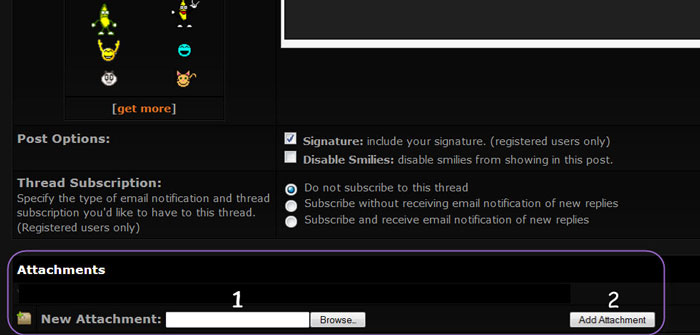 2. Then Click the Add Attachment button (far right) 3. After you see that the image has been uploaded, click the Insert Image button to copy the image into your post.  You will know that the image attached when you see a notation similar to this: 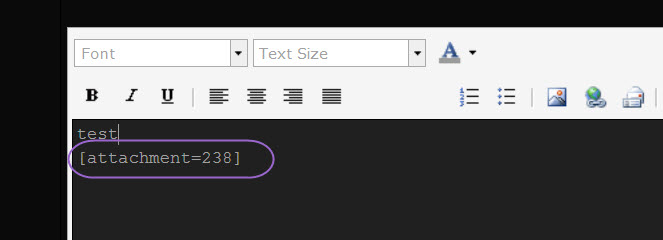 You can not see the attachment when you preview the post, only after you click the Post Reply button. There are 2 caveats with attachments: 1. They can't be seen by guests. But since only members vote, that doesn't matter if you are posting an image for a contest. 2. There is a per-member quota. Just above the "browse" box there is a note that tells you how much of your quota you have used and whether you want to view your attachments (which you can also delete to manage your quota). If you are approaching the limit, please ping an Admin as we can reset this limit. This site supports other attachments besides image files. For example you can attach a psd or mp3 file. Ping an Admin for file size limits. |