|
Misfit Galleries
|
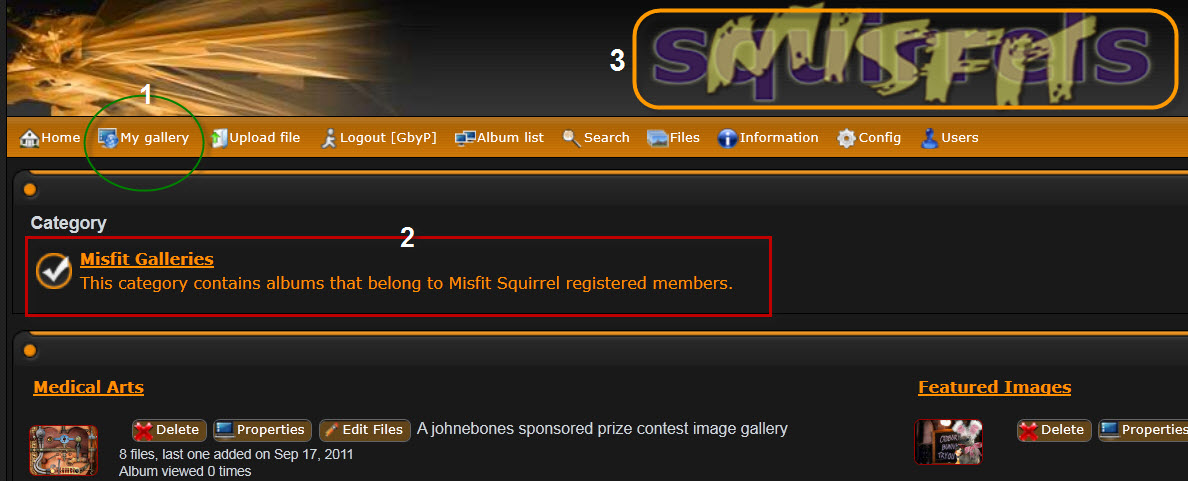
Each registered member is provided a gallery to display their images; the gallery supports up to 8 albums and up to 50 images per album. In addition to member galleries, the images from select site contests and activities will also be posted here. Many contests are run within the forums, but as these conclude, the images will be copied over to the galleries for easier visitor access. Navigation to & from the Misfit Galleries is simple:
Forums to Galleries Navigation Illustration: Misfit Galleries Navigation Illustration:
Two more things to note: (a) This is a bridged gallery - once you are logged into the Forums, you are logged into the Galleries too. If you log out in the Galleries, you will be logged out of the Forums too. So just click the links to navigate back and forth and log in/out in one location. In the near future, directions will be posted here on how to create & organize albums within your gallery and how to upload images into your albums. |